
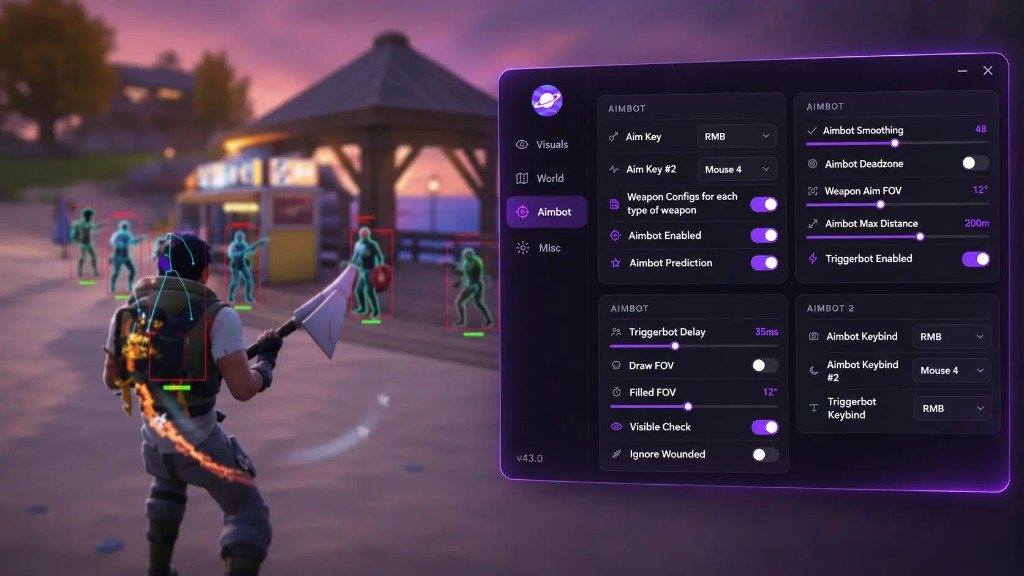
Cloud DMA vs a DMA Card for Fortnite: Setup, Cost and Which Fits Your PC
DMA sits outside the game process, which is why it gets talked about as a safer layer. It also means hardware. Here is the card route against the cloud route, with the real trade-offs on both sides.
DMA cheats come up constantly in Fortnite discussions, usually with the implication that they are the serious option. The reputation is not wrong, but the conversation usually skips the hardware, the money and the upkeep.
Direct memory access means reading game memory from outside the game process. A separate device reads the memory and a second machine, or a virtual one, does the thinking. Nothing injects into Fortnite, so Easy Anti-Cheat has less to look at inside the process.
That is the theory. Here is the practice, in both forms.
The card route
This is what most people mean by DMA. You buy a PCIe card, fit it inside your case, and connect it to a second PC over USB or Thunderbolt. The second PC runs the cheat software and draws the overlay, usually through a capture card or a network stream.
The chain looks like this:
- PCIe DMA card in the gaming PC
- Second PC, usually a laptop
- Capture card or network link for the video path
- Cheat software on the second machine
- Firmware on the card itself
That is five moving parts, four of which can fail independently.
Cost: the card is the main purchase, and the good ones are not cheap. Add the second PC if you do not have one, plus a capture card in most guides. Firmware updates are their own small project.
Strengths: nothing runs on the gaming PC, so there is no process footprint and no performance cost on the machine playing the game. It is the most isolated setup available.
Weaknesses: the physical install, the second machine, the cabling, and firmware that has to be reflashed when a game starts checking the card. If your case has no free slot or your board is tight, you find that out with a card in hand.
The cloud route
Cloud DMA takes the same principle and removes the hardware. An installer provisions a Hyper-V based virtual environment on your own single PC and finishes activation over an encrypted service link. Memory side features run through that layer.
No card, no second tower, no capture card, no firmware flashing. One PC, one purchase, one guided setup.
Cost: a single one time purchase, lifetime, but not the only one. Cloud DMA needs GREENWARD, a Static Server and AWS before it does anything, and Static Server and AWS are two separate products that you both need. Budget for all four.
Strengths: one machine, no hardware shopping, no slot to find, no firmware to chase. It updates through the service rather than through a screwdriver.
Weaknesses: it is not hardware isolated. Hyper-V has to be enabled, which means Windows Pro, Enterprise or Education is the smoother path. It needs CPU virtualisation, 8 GB RAM minimum with 16 recommended, and it does not work on setups built around a second physical tower. If you already own a card and a second PC, you are paying for a layer you already have.
Requirements for Cloud DMA
These are hard requirements, not suggestions:
- Windows 10 or 11, 64 bit
- HVCI on
- Core Isolation on
- TPM on
- Secure Boot on
- Intel VT-x or AMD-V enabled in firmware
- Hyper-V role enabled during setup
- 8 GB RAM minimum, 16 GB recommended
- Stable broadband for activation and service connectivity
- GREENWARD, Static Server and AWS, all separate purchases
Check the virtualisation and Hyper-V points before you buy anything. If your board will not expose VT-x or SVM, the cloud route stops there and a card is the answer instead.
Which one actually fits
Take the card route if:
- You already own a DMA card and a second PC
- Your case and board have room and you enjoy the hardware side
- You want maximum separation and do not mind maintaining firmware
- You are running DMA across several games and want one physical setup
Take the cloud route if:
- You have one PC and no interest in building a second
- You want the memory side isolation without the install
- Your machine already meets the virtualisation and Hyper-V requirements
- You would rather a guided setup than a firmware tutorial
The honest summary: a card is more isolated and more work. Cloud DMA is less isolated and much less work. Neither is more correct, and anyone claiming one is universally better is describing their own setup rather than yours.
What neither route fixes
DMA does not make you invisible to anti-cheat. It changes what the anti-cheat can see inside the process, and it moves the fight to firmware and to server side analysis. Epic still reviews replays by hand in ranked and tournaments, and reports still accumulate.
It also does not fix bad configuration. An aimbot with a 40 degree FOV and no smoothing looks like an aimbot on a card and on a cloud setup alike. The layer decides how you are seen; the settings decide whether anyone bothers looking.
On Fortnite specifically
Fortnite loads Easy Anti-Cheat, and Epic also uses BattlEye in some configurations, so the update surface is wider than most titles. Whatever route you take, expect the build to need attention after major patches and plan around it rather than being surprised.
If you are on one PC and it meets the requirements, Cloud DMA explains the activation flow and the companion products, and the Fortnite cheat is the layer that runs on top. The setup walkthrough covers the firmware and Windows steps in order.